A subscription and recurring bill tracker that never reads your bank
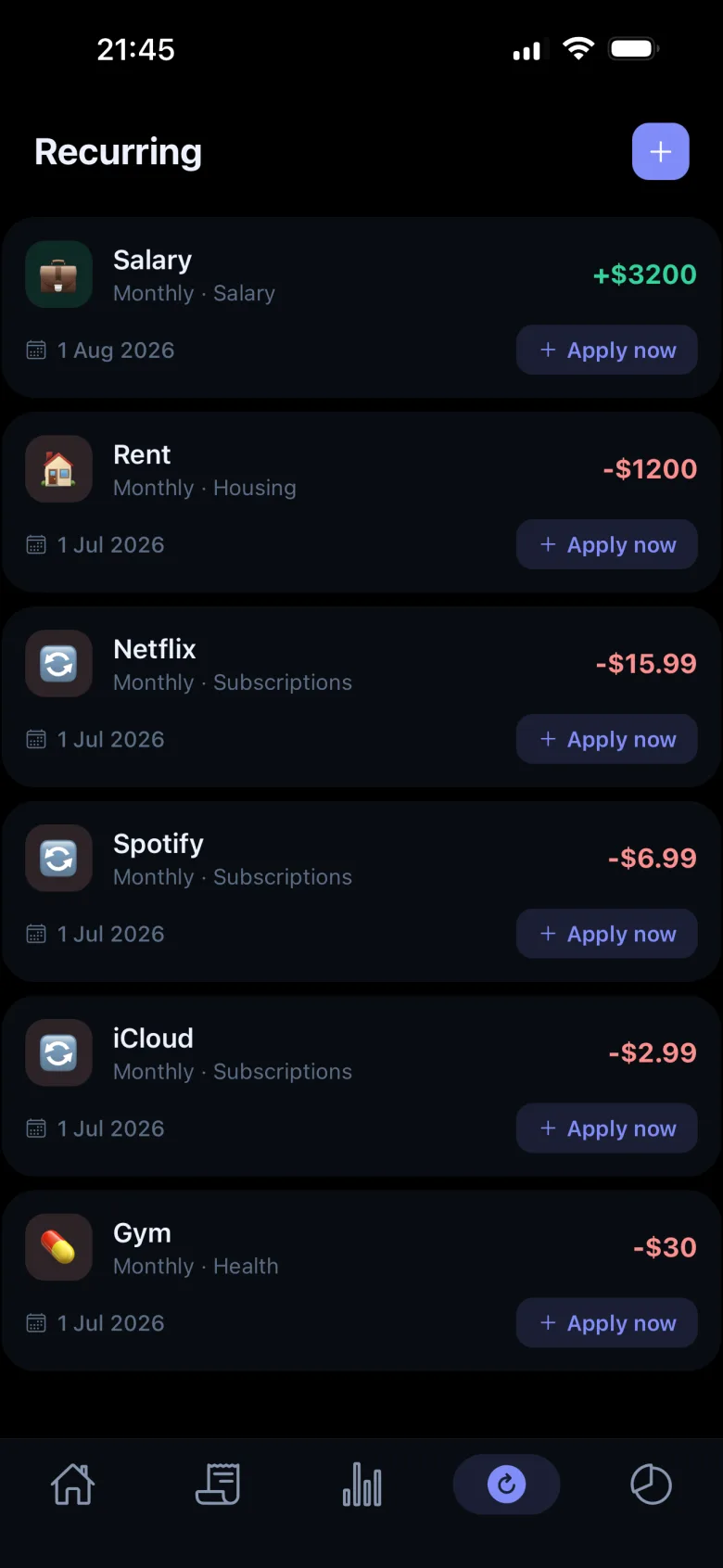
Most subscription trackers work by reading your bank or your inbox and guessing what renews. Monavo does the opposite: you set each recurring bill up once — name, amount, the day, how often — and from then on it's added to the right month by itself, with an optional reminder the evening before. Rent, Netflix, the gym, the phone plan. No bank login, nothing to reconnect, and it's part of the free plan with no limit on how many.
How it works
You add the bill once, the way you'd note it on paper: what it is, how much, which day, monthly or yearly. On that day it appears in your expenses and in the month's budget, in its category, without you doing anything. If you want a nudge, turn on the reminder and Monavo tells you the evening before, so the yearly renewal on the 14th stops being a surprise on the 15th. Change the amount when the price changes; delete it when you cancel.
What it doesn't do
It won't find subscriptions for you. There's no bank connection to scan and no inbox to read, so if you don't add a bill, it isn't there. It also won't cancel anything — that still happens in the service's own settings. If what you want first is the total, the subscription cost calculator adds everything up per month and per year, with nothing stored.
For two people
In a paired budget, recurring bills are shared like everything else: rent set up on one phone shows up on both, in the same category, on the same day, and each expense shows who added it. One Pro plan covers both phones; the details are on the couples page.
What it costs
Recurring bills are unlimited on the free plan, along with budgets per category, charts and insights. Pro ($19.99 a year or $2.99 a month, 7-day trial) adds cloud backup and sync across up to three phones, 500 AI quick-adds a month and CSV import and export; Lifetime is $39.99 once. The free plan has no time limit.
The rest of the app
Bills are one part of it. The everyday part is typing what you spent — coffee 15 — and having it logged and categorised. Budgets, insights that tell you when a category is running ahead, 150+ currencies, and your data on your phone by default. The homepage has the full picture, and this article explains why there is no bank connection anywhere in it.
Frequently asked questions
Does Monavo remind me before a bill is due?
Yes, if you turn the reminder on for that bill: you get one the evening before. Reminders are off unless you want them.
Can it find my subscriptions automatically?
No. Monavo never reads your bank or your email, so it can't detect a renewal on its own. You add each recurring bill once, and it handles the repeating.
Does it cancel subscriptions?
No. Cancelling still happens in the service's own settings. Monavo keeps the bill in your budget until you delete it there.
Is the recurring bills feature free?
Yes, with no limit on how many bills. Pro adds cloud backup, sync across phones, more AI quick-adds and CSV import and export.
Can my partner see the same bills?
Yes. In a paired budget, recurring bills sync across both phones like every other expense, in the same category and on the same day. See the couples page.
Start tracking — free
No account. No bank linking. No ads. Just download and go.